AI Tools2026-02-04• 7 min read
Top 5 AI Graphic Design Tools for Stunning Visuals in 2026
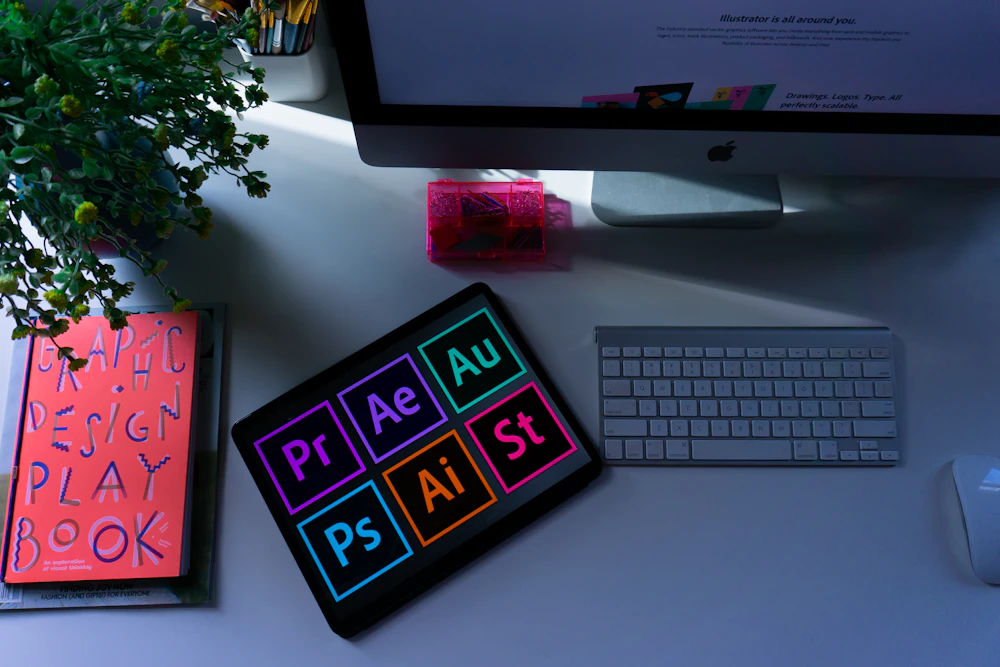
Top 5 AI Graphic Design Tools for Stunning Visuals in 2026
Professional graphic design was once the exclusive domain of trained designers with years of software expertise. In 2026, AI has democratized visual creation, enabling anyone to produce stunning graphics, logos, and marketing materials without traditional design skills.
This comprehensive guide covers the five best AI graphic design tools available today, with detailed breakdowns of capabilities, pricing, and ideal use cases.
1. Canva – The All-in-One Design Platform
Official Website: https://www.canva.com
Canva has transformed from a template-based tool into a sophisticated AI-powered design platform. Its Magic Studio features make professional design accessible to everyone.
Key Features
Magic Design: Describe what you want and Canva generates complete designs. From social media posts to presentations, AI creates starting points tailored to your needs.
Magic Switch: Instantly resize designs for any platform. Create once, publish everywhere—Instagram, Facebook, Twitter, LinkedIn, and more.
Magic Grab: Select and move elements in photos as if they were separate layers. AI understands object boundaries for precise editing.
Background Remover: One-click removal of backgrounds from any image with near-perfect accuracy.
Magic Eraser: Remove unwanted elements from photos and AI fills in the space naturally.
Text to Image: Generate custom images from text descriptions directly within your designs.
Brand Kit: Store colors, fonts, and logos for consistent branding across all designs.
Pricing
- Free: Extensive features with limited templates
- Pro: $12.99/month
- Teams: $14.99/user/month
- Enterprise: Custom pricing
Best For
Small businesses, social media managers, and anyone needing quick, professional designs.
2. Adobe Firefly – Creative Suite AI
Official Website: https://www.adobe.com/products/firefly.html
Adobe Firefly brings AI generation directly into the world's leading creative software, enabling professionals to enhance their existing workflows.
Key Features
Text to Image: Generate images from detailed text descriptions with precise style control.
Generative Fill: Add, remove, or replace elements in existing images using text prompts within Photoshop.
Text Effects: Apply textures, materials, and styles to text based on descriptions.
Generative Recolor: Create unlimited color variations of vector artwork instantly.
Structure Reference: Generate images that match the composition of reference images.
Style Reference: Create images in the style of your reference artwork.
Sketch to Image: Transform rough sketches into polished illustrations.
Pricing
- Free: 25 monthly generative credits
- Firefly Premium: $4.99/month
- Included with Creative Cloud: Various plans from $22.99/month
Best For
Professional designers, photographers, and Adobe Creative Cloud users.
3. Figma with AI – Collaborative Design Intelligence
Official Website: https://www.figma.com
Figma has become the standard for collaborative design, and its AI features are transforming how teams work together on visual projects.
Key Features
AI Text Generation: Generate placeholder text, headlines, and copy variations directly in designs.
Auto Layout Intelligence: AI suggests optimal spacing, alignment, and responsive behavior.
Rename Layers AI: Automatically rename layers based on their content for organized files.
AI-Powered Search: Find design elements, components, and files using natural language.
Remove Background: AI-powered background removal for images within designs.
Generate Variations: Create multiple design variations from a single starting point.
Component Suggestions: AI recommends appropriate components based on context.
Pricing
- Free: 3 projects, unlimited personal files
- Professional: $15/editor/month
- Organization: $45/editor/month
- Enterprise: Custom pricing
Best For
Design teams, UX/UI designers, and collaborative projects.
4. Looka – AI Logo and Brand Design
Official Website: https://looka.com
Looka specializes in AI-powered logo and brand identity design, creating complete branding packages in minutes.
Key Features
Logo Generator: Answer questions about your brand and AI generates logo concepts tailored to your industry and preferences.
Endless Variations: Generate unlimited variations based on styles, colors, and symbols you like.
Complete Brand Kit: Beyond logos, get:
- Business cards
- Social media kits
- Letterheads
- Brand guidelines
Vector Files: Download high-resolution vector files (SVG, EPS) for any use case.
Website Integration: Preview logos on mockups and real-world applications.
Trademark Search: Check if your logo design might conflict with existing trademarks.
Pricing
- Free: Unlimited logo design exploration
- Basic: $20 one-time (low-res files)
- Premium: $65 one-time (high-res + brand kit)
- Enterprise: Custom pricing
Best For
Startups, small businesses, and entrepreneurs needing quick branding.
5. Kittl – Advanced Design Templates with AI
Official Website: https://www.kittl.com
Kittl combines professional-grade design capabilities with AI-powered features, particularly strong for merchandise and print design.
Key Features
AI Text to Design: Describe your design and AI generates professional results with customizable elements.
AI Background Remover: Clean, precise background removal for product images.
AI Image Generator: Create custom illustrations and graphics from text prompts.
Design Templates: Thousands of professional templates for:
- T-shirts and merchandise
- Logos and branding
- Social media
- Print materials
Vector Editing: Full vector editing capabilities with an intuitive interface.
Commercial Licensing: All designs include commercial use rights.
Pricing
- Free: Limited access
- Pro: $10/month
- Expert: $24/month
- Business: Custom pricing
Best For
Print-on-demand sellers, merchandise designers, and small creative agencies.
Comparison Table
| Tool | Best For | Key Strength | Starting Price |
|---|---|---|---|
| Canva | All-purpose | Ease of use | Free |
| Adobe Firefly | Professionals | Creative Cloud integration | Free |
| Figma | Teams | Collaboration | Free |
| Looka | Branding | Logo generation | Free |
| Kittl | Merchandise | Print design | Free |
Choosing the Right AI Design Tool
For everyday business graphics: Canva offers the best balance of power and simplicity.
For professional creative work: Adobe Firefly integrates with industry-standard tools.
For team collaboration: Figma enables real-time collaborative design with AI assistance.
For logo and branding: Looka creates complete brand identities from scratch.
For print and merchandise: Kittl excels at designs destined for physical products.
Building Your AI Design Workflow
Many designers combine these tools:
Social Media Production: Canva for daily content → Figma for brand assets → Adobe Firefly for custom imagery
Brand Development: Looka for logo → Canva for marketing materials → Figma for web design
Product Design: Kittl for merchandise → Canva for marketing → Figma for packaging
Best Practices for AI Design Tools
Start with Clear Briefs
The more specific your input (descriptions, references, requirements), the better AI output you'll receive.
Customize AI Output
Never use AI-generated designs directly. Refine colors, typography, and elements to match your brand.
Maintain Consistency
Use brand kits and design systems to ensure AI-generated content stays on-brand.
Understand Limitations
AI excels at variations and starting points but struggles with truly original concepts.
Check Licensing
Ensure you understand commercial use rights for AI-generated content.
The Future of AI Design
Emerging capabilities include:
- Real-time design suggestions: AI that offers improvements as you work
- Brand-aware generation: AI trained on your specific brand guidelines
- Cross-tool integration: Seamless workflows between design platforms
- 3D and motion: AI extending into animation and 3D design
Conclusion
AI design tools have leveled the playing field, enabling anyone to create professional-quality visuals. Whether you're building a brand, managing social media, or designing products, these five tools offer the capabilities you need.
Start with the tool that matches your primary use case, invest time in learning its AI features, and gradually expand your toolkit. The combination of human creativity and AI efficiency produces better results than either alone.
Design democratization is here. The only question is how you'll use it.
Explore more design tool reviews and tutorials at Tech Reviews.
Free Download
The 2026 AI Income Blueprint
Stop guessing. Get the exact step-by-step roadmap we use to generate passive income with AI tools. Includes 50+ copy-paste prompts.
Get It Free
*Instant PDF delivery
Recommended Prompts & Guides
👤
About the Author
Dr. Ahmed Raslan is a specialist in AI tool reviews and building digital income streams. At Tech Reviews, we strive to deliver the best reliable tech solutions.
Did you find this helpful?
Share this article or subscribe for more tips.